


System preferences #
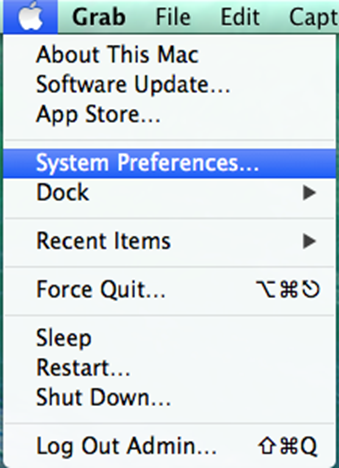
First, navigate to the Apple menu (the Apple icon in the top-left corner of the screen) and select System Preferences.
Network #
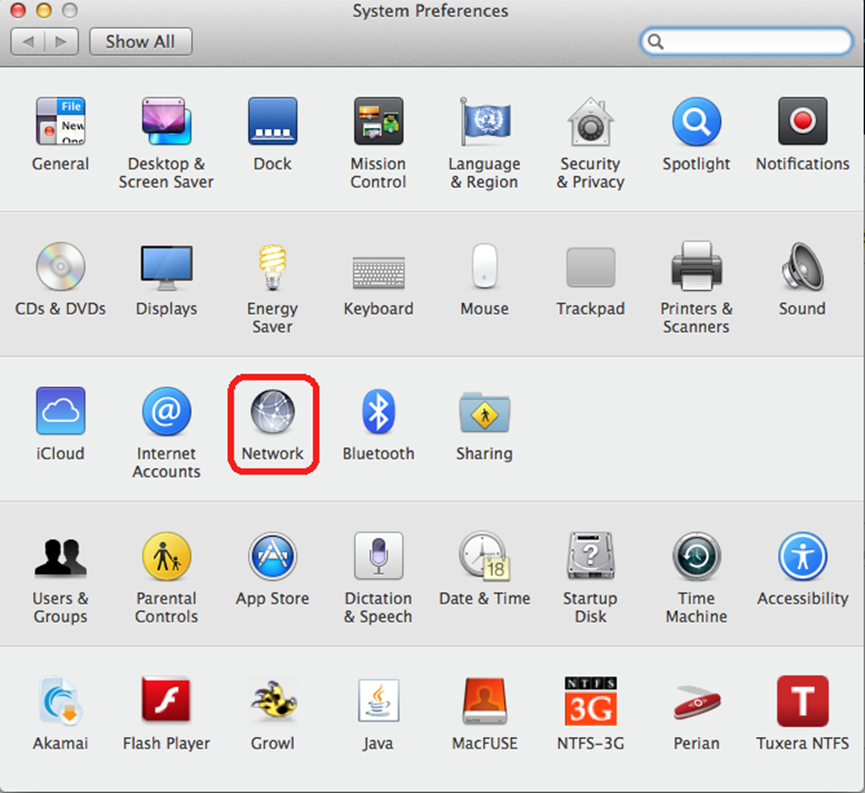
In the System Preferences window, open Network.
Ethernet setup #
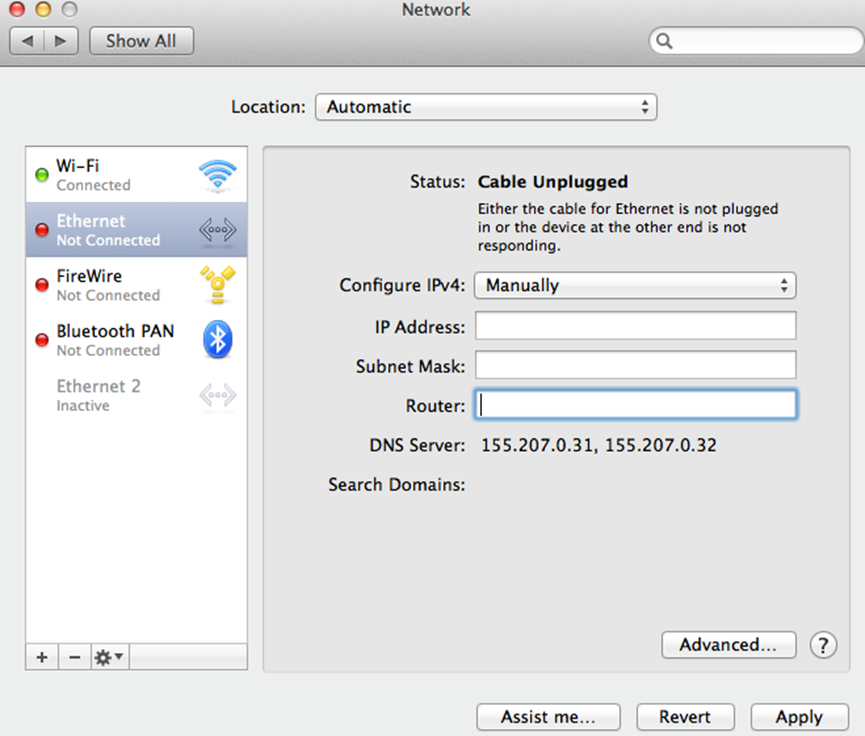
In the Network window, click Ethernet and in the Location field choose Automatic.
Then, fill in the following fields using the network settings provided by the Digital Governance Unit (DGU):
IP address: Enter the specific IP address that was given (the “IP address” of the request) and it has the format “155.207.xxx.yyy”, where xxx and yyy are numbers from 1-254.
Subnet mask: “255.255.255.0”.
Router: “155.207.xxx.100”, where xxx is the corresponding IP address.
DNS servers #
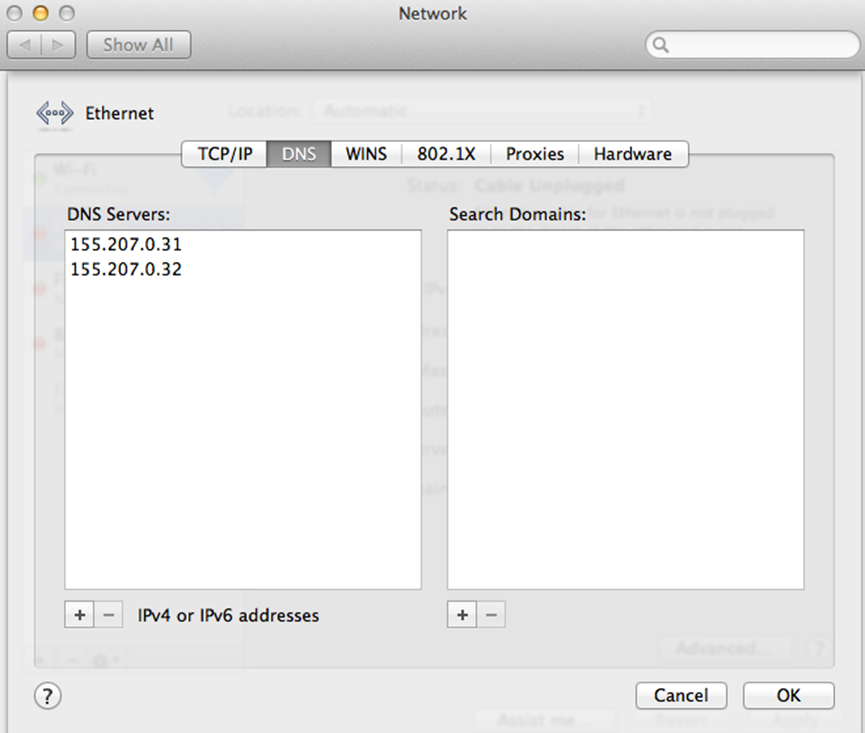
Choose Advanced > DNS and in the DNS Servers field fill in:
155.207.0.31
155.207.0.32
Click OK.