



In the Faculty Electronic Secretariat, instructors now you have the ability to communicate via message with the students who have enrolled in a specific course.
1. From the Courses menu, you select Current Courses.
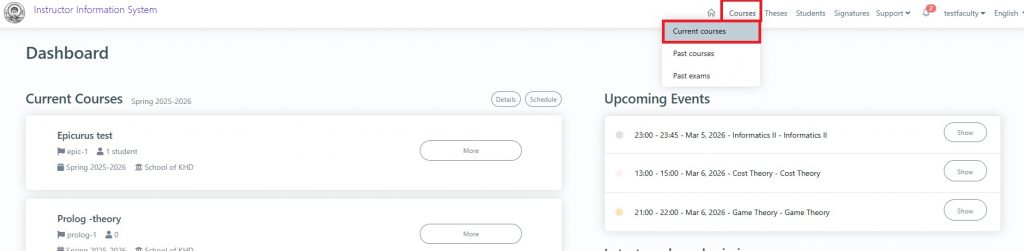
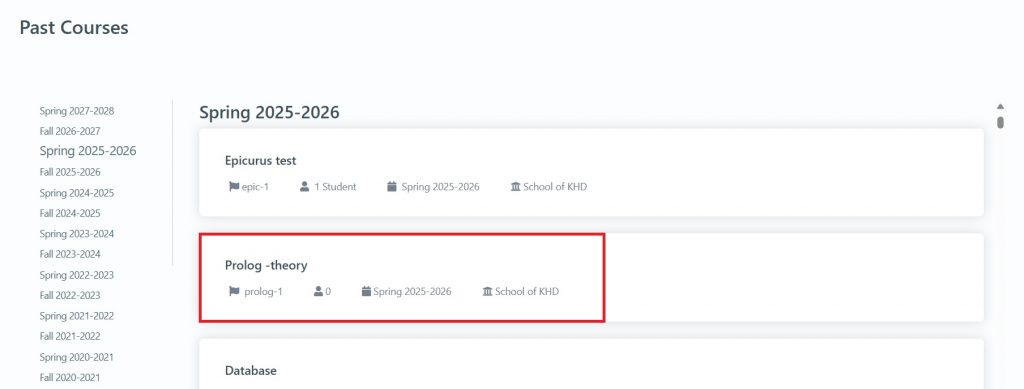
2. Locate and click on the course you are interested in.
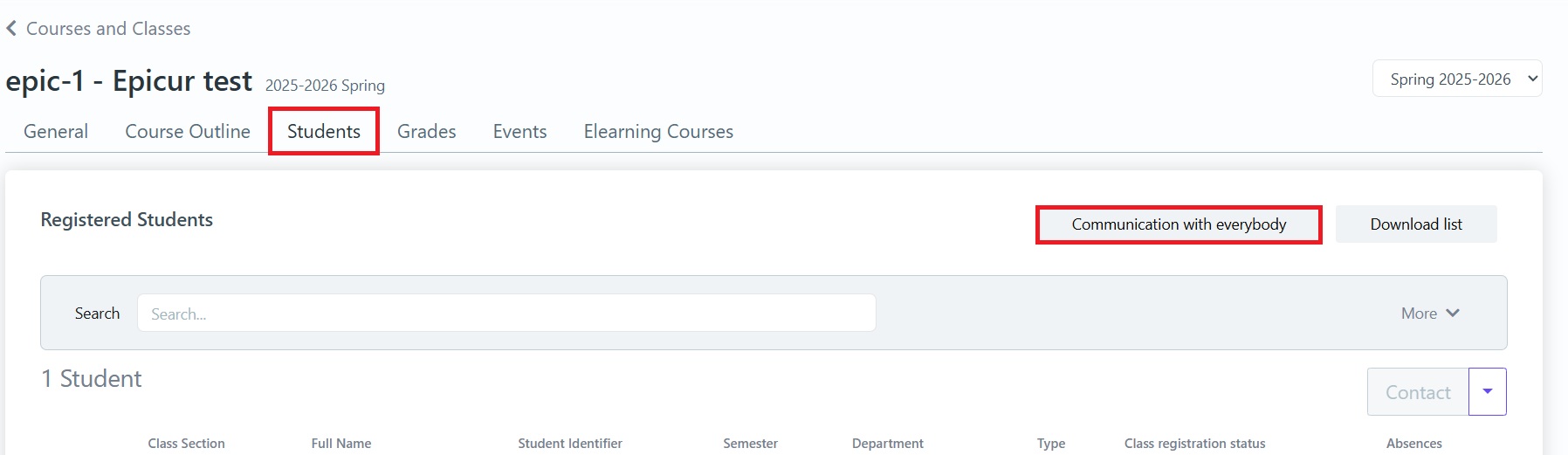
3. Select Students and then Communication with everybody.
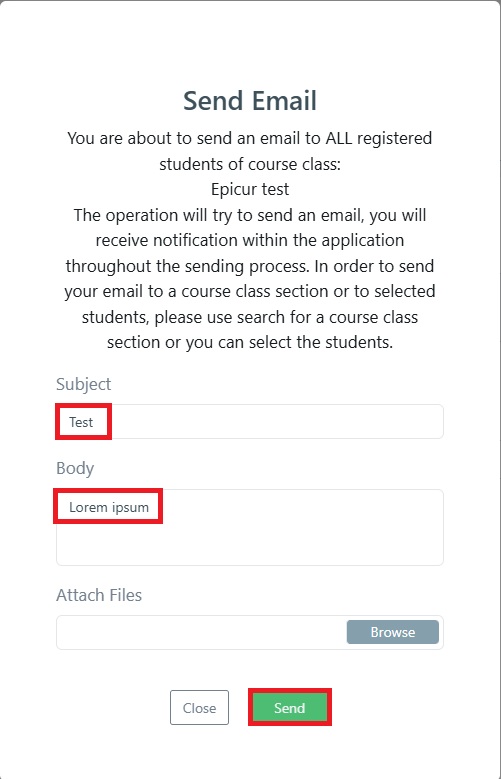
4. In the window that appears, type the subject and the message you want, then click Send.
5. After a short while, a notification about the status of the message will appear on the bell icon at the top right.

6. The notification details show how many recipients the message was sent to and if there were any failures.
