



Wi-Fi wireless networks #
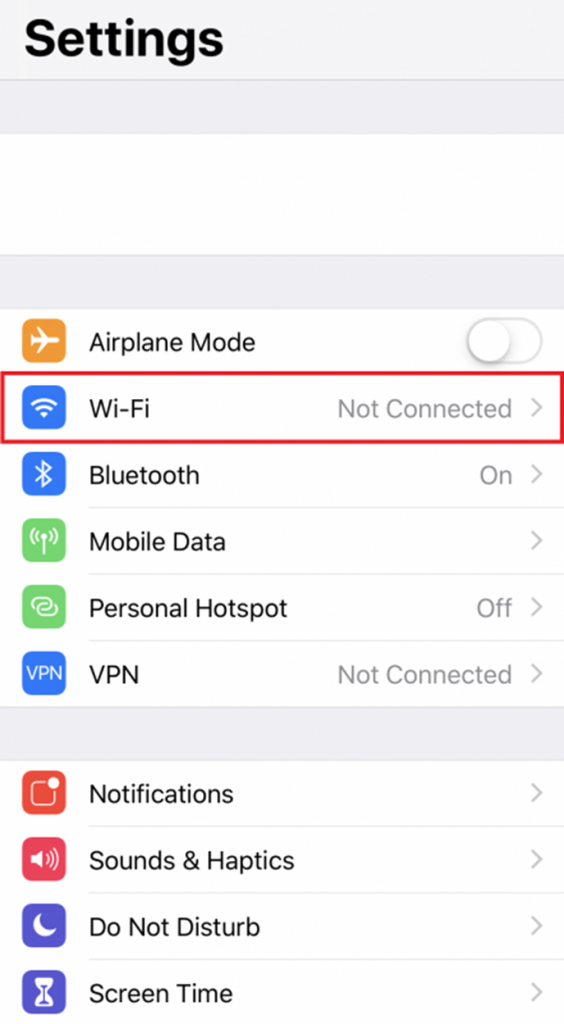
Navigate to the Settings menu and select Wi-Fi.
Selecting the eduroam wireless network #
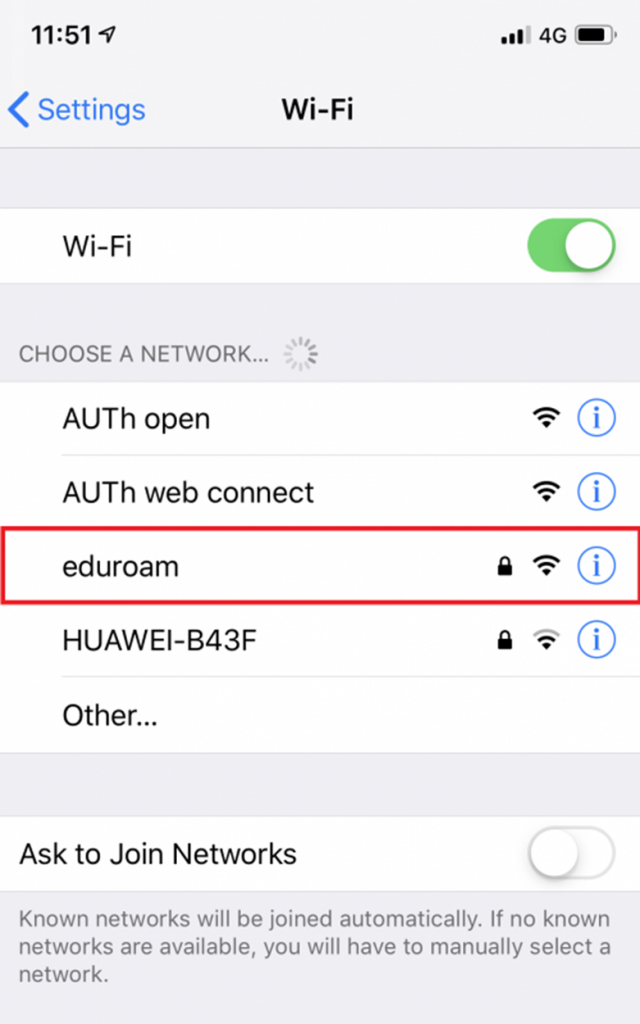
While within range of the eduroam network, choose it from the list of available wireless networks.
Filling in the required fields #
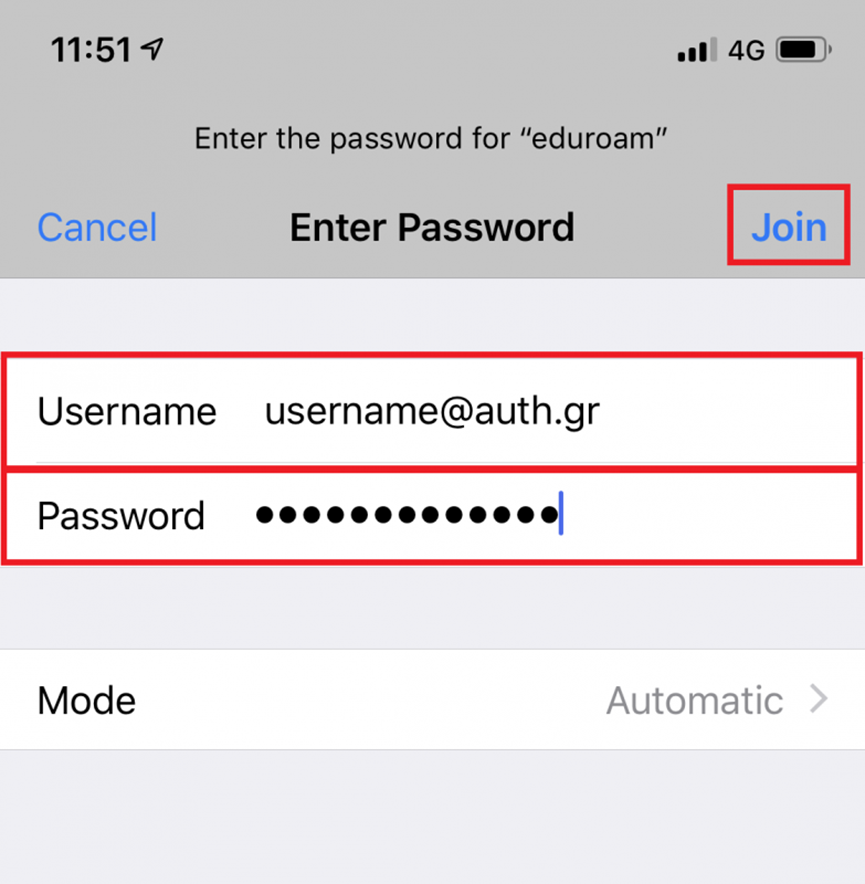
Enter the following credentials:
- Username: Our institutional email (e.g., username@domain.auth.gr)
- Password: Our institutional account password.
Then, select Join.
Server name and certificate authority #
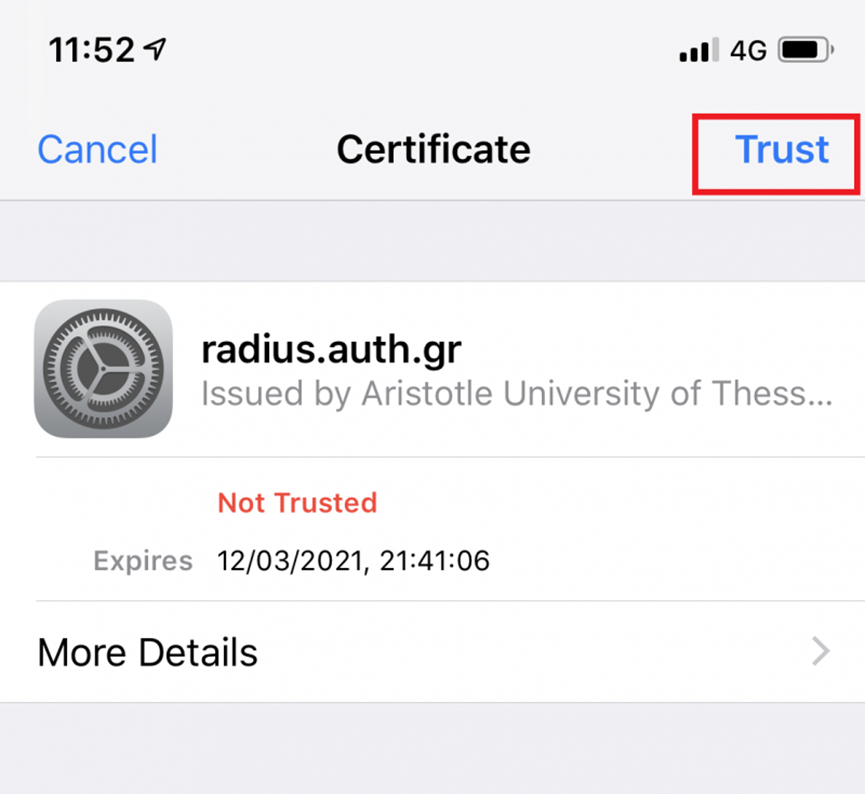
A certificate window will appear. We verify that the server name is radius.auth.gr and the Certificate Authority is Aristotle University of Thessaloniki Central CA R5. We select Trust to proceed.
Successful connection #
Our device has successfully connected to eduroam and has saved the configuration for future use.
