



To connect to the eduroam network, please follow the steps below:
Selecting the eduroam Wireless Network #
While within range of the AUTh wireless infrastructure, long-press on the network eduroam and select Modify network config.

Entering Connection Credentials #
Fill in the fields according to the following table:
| EAP Method | PEAP |
| Phase 2 Authentication | MSCHAPV2 |
| CA Certificate | Do not validate |
| Identity | Your institutional email (username@auth.gr) |
| Anonymous Identity | Your institutional email (username@auth.gr) |
| Password | Your institutional user account password |
| Domain | auth.gr |
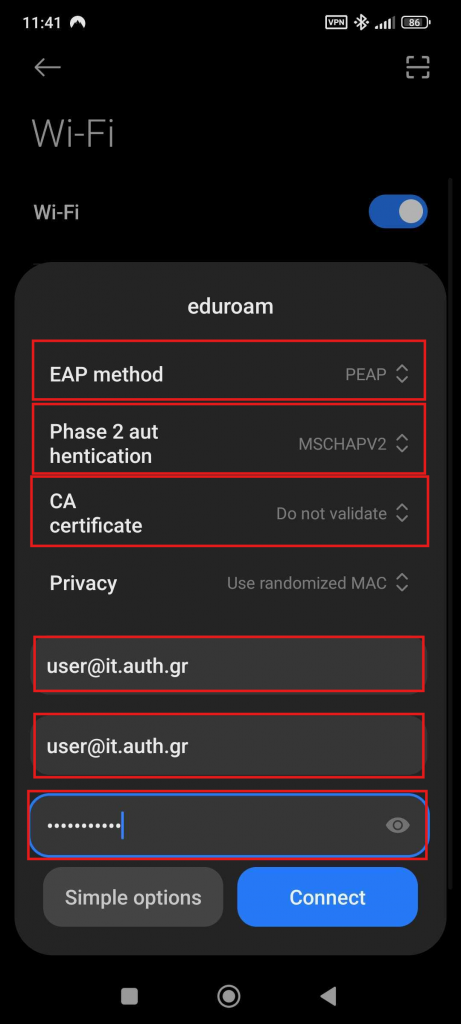
Finally, tap Connect.
Successful Connection to eduroam #
Our device is now successfully connected to eduroam. The settings have been saved for automatic connection in the future.
